
It’s a tool that is effectively supporting SEOs and advertisers, so you know exactly SEMrush What is it and how to make the most of its features?
On the market today there are many SEO tools, helping you analyze and come up with effective strategies. Among them SEMrush is the most powerful tool, chosen by many SEO people. So what is SEMrush? What outstanding features does this tool have to be rated so highly? Please find out in the article below.

SEMrush is a popular SEO tool, used for keyword research, competitor analysis, and Google Ad campaign optimization.
As a tool used by many SEOers and advertisers, SEMrush integrates many useful features. Specifically, it integrates up to 18 powerful features to meet the needs of any digital marketer.
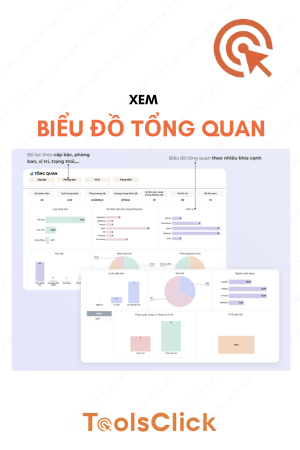
With this feature, SEMrush helps you get an overview of overall SEO and PPC Marketing (paid advertising).

If you want to find more detailed analysis, you can learn detailed information about:
The data in this report is extremely useful. Especially when you want to see how much traffic a Web site gets from SEO or Google Ads.
Organic Research is a simple, popular feature in many SEO tools. But with SEMrush, if you know how to exploit it, this feature will support you effectively.
You will get data about the amount of organic traffic your Website receives from Google over time. But the indicators below are what you need to pay attention to:

SEMrush will provide users with an updated list of keywords for which a Web site ranks in Google organic search. From there, you can exploit and reverse your competitors’ keywords. This is one of the smart keyword research strategies that has proven to be effective.
SEMrush is one of the best tools on the market today that integrates Keywords features. That’s because SEMrush has a huge database of 17 billion keywords and it is continuously updated every day.
You will know how much monthly traffic your website receives from search engines. However, SEMrush’s organic traffic statistics are sometimes inaccurate. High traffic, then a sudden decrease of 2-3 times is possible. Even so, you can still take advantage of it to evaluate your competitors’ SEO.

Traffic Cost is a metric that helps you estimate the cost of organic traffic (Assuming you paid for the same amount of traffic from PPC).
>> Refer to the set Basic SEO documents for businesses.

Here you can see all the keywords a website ranks for as well as the ranking position. So if you need a powerful keyword research tool, this feature is especially useful.
With competitor keywords, by default, SEMrush displays the keywords that bring the Web site the most traffic. Besides, you can also sort keywords by search volume and see the most searched terms. Or you can use advanced filters to only see terms with a CPC (cost per click) of $5 or more.
Evaluating keyword difficulty is an important factor that determines the success of an SEO campaign. Keyword difficulty is evaluated through factors such as:
With SEMrush, this tool does not analyze all the above aspects but will still help you find the answer whether you have a chance to rank or not. To use this feature, you simply enter the keyword you want to rank for.

The returned results will be evaluated on a scale from 0 to 100%. The higher this index, the more difficult it is to SEO. You can also compare multiple keywords to find out which one you should target first.

On Page SEO Checker helps analyze the content on your page: such as title tags and Heading tags, etc. In addition, the highlight of this feature is the ability to suggest Semantics. Semantic can be understood as semantic searches, which help improve search accuracy based on understanding the user’s (search) intent.
Paid Search – paid search is a feature you should take advantage of, especially useful in PPC advertising. You can use it to see which keywords your competitors are most frequently competing for. Or information about the ads your competitors are running also appears in the statistics table.

SEMrush’s backlink checker feature works very well. Because, SEMrush owns a large link index, helping to quickly find new pages and backlinks. You can also use filters to find exactly the backlinks you want.
Overall, SEMrush’s Backlink analysis tool can be compared with Ahrefs in many aspects. Such as Domain Authority index (called “Authority Score” in SEMRush), Anchor Text, the number of links a Web page has received over time…
Even this tool from SEMrush has some interesting features that Ahrefs does not have. For example, SEMRush displays a list of Web pages with similar link profiles. If you are starting a link building campaign, this information will be extremely helpful.
Most SEO tools put little emphasis on PPC features. With SEMrush it’s the opposite. This tool focuses a lot of resources on developing PPC competitive analysis features. So, you can use SEMrush to see every ad your competitors are running. And the amount of traffic those ads bring.
Furthermore, estimated CPC figures will be displayed, giving you information about how much that website is spending each month on Google advertising. In particular, you can also see exactly what advertising your top competitors are doing.

If you are familiar with quality score – Quality Score, the CTR (click-through rate) of the ad is the most important factor. The higher the CTR, the less you have to bid. When tracking metrics in SEMrush, if you see a competitor has been using an ad for months or years, you can tell that that ad is getting a decent CTR. Otherwise, competitors won’t use that ad.
Not only does SEMrush analyze PPC advertising data, it also has features for display advertising. Using it, you not only see the ads displayed but also get a list of the exact Web sites they are advertising on.

Traffic Analytics provides statistical data about website traffic (from different sources other than Google: Youtube, social networks, Blogs,…). This statistic helps you determine the exact source that brings the most traffic to your website.
In addition, you can also track how users interact with that Web page when visiting. Specifically, you will know the average number of page views, bounce rate, session duration,…

Market Explorer is one of many new features added by SEMrush. The feature will show you the full picture of a certain niche. If you’ve just taken on a client and they’re in a niche that you don’t have much information about, this tool will be of great assistance to you. No need to spend a lot of time finding out who your competitors are, SEMRush’s Market Explorer report helps you do this. From there, it helps to analyze the market more easily.

The concept of SEMrush refers to the outstanding keyword research features of this tool. Using Keyword Analytics helps you analyze in-depth Single Keyword – single keyword. Information about search volume, keyword difficulty, estimated CPC, etc. is compiled by SEMrush and clearly shown in the report. Additionally, you can see keyword competition on the first page of search engine results pages.
What makes Keyword Analytics SEMrush stand out from other tools is that it provides users with a huge amount of keyword ideas. Specifically, SEMrush generates keyword ideas in the form of variations, questions, and Related Keywords. Additionally, don’t ignore suggestions about long-tail keywords.
The Related Keywords section is really useful. Related Keywords is a list of phrases on the same topic as the keyword you entered. The phrases in this list may not use the keyword you use as the seed keyword – Seed Keyword.

Keyword Gap is another useful feature for keyword research in SEMrush. The special feature of Keyword Gap is the ability to compare your keyword rankings with several competitors. From here, you can find keywords that many of your competitors rank for in Google but you don’t.
You’ll even get a list of terms for which you and your competitors both rank.
Topic Research Tool is considered better for Content Marketing than for SEO. To use this tool, enter the topic you want to write about on your Blog. SEMrush will find and return a range of related topics. And the specific content pieces are done well. However, in some cases, it also lists out some strange topics that don’t really make sense.

SEO Content Template is designed to help you write content containing many LSI or Latent Semantic Indexing keywords. Specifically, the tool will scan the top 10 results in Google organic search for the keyword you want to rank for. Then provide related keywords that you can include in the article.
Additionally, real-time content testing can also be done on the SEO Content Template. By copying and pasting the post content into the tool, it will automatically score and evaluate Readability, Tone Of Voice, etc.

Like other rank tracking tools, this tool shows how your rankings have changed over time, your page’s overall Search Visibility, and your rank distribution.
When entering a list of Target Keywords, the tool will automatically check your rankings on Google. Overall, SEMrush’s Position Tracking is an effective feature.

SEMrush has a built-in tool to help check SEO Audit. This tool is considered the best on the market today, even when compared to Ahrefs. In particular, it provides a percentage score for “Site Health”. You can also see errors/issues that may be affecting your technical SEO. So, if you want to make sure that your website’s technical SEO is 100% correct, SEMrush’s Site Audit tool is a great way to help you do that.
The cool thing about Site Audit tools is that they run completely proactively. This way, you don’t have to do a check every few months and can still see reports on your dashboard every time you log in.

Instead of opening one Tab for SEMrush and another Tab for sending Outreach Emails. SEMrush’s Link Building tool helps tie them together. This way, you can actually do your work without having to leave the platform.
You can also use this feature for link searching (finding sites and pages that are likely to link to you). Or use Link Building Tool to send outreach emails and track results.
Overall, SEMrush’s Link Building Tool is a useful tool that its competitors (like Ahrefs and Moz) do not have.
Compared to Ahrefs, SEMrush’s customer service support is more effective and faster. However, when customers need to ask questions, it is a bit difficult to do so. Because SEMrush does not have a chat icon that is usually located in the lower right corner of the screen. Instead you have to look for the “help” link in the footer. After filling out a form, you’ll still have to do a few more things before you can ask a question.
Even so, the feedback you get from SEMrush support is really helpful.
If you need to use it, you can refer to the SEMrush price list in advance. SEMrush offers users 3 service packages: Pro Plan, Guru Plan and Business Plan.
With many of the above outstanding features, SEMrush is a tool that meets all the requirements of any SEO person or vendor. SEO services in the most effective way. Hopefully the above article has helped you answer the question of what SEMrush is as well as its outstanding features. If you have any questions about this tool, don’t hesitate to leave them in the comments!

Group buying website for tools
World's leading

Youtube ToolsClick
A guide from A to Z

Fanpage
Top quality

Group ToolsClick
Technical Support & Gifts

ToolsClick Software
Proprietary software