
Are you a student or office worker with a burning passion for music and want to start your own music production journey? Getting started can be a bit overwhelming, but with FL Studio installation instructions Through the following 5 detailed steps, you will install successfully the first time. This article will provide all the information you need, from checking your computer configuration to how to activate your permanent copyright, helping you be ready to turn your musical ideas into reality.
To start your journey of making EDM music, mixing or recording, the first and most important thing is to successfully install your music making software. Below is a simple 5-step process so you can do it yourself Install FL Studio software quickly and most accurately.
Before downloading, you need to make sure your computer meets the system requirements for the software to run smoothly.
Quick answer: To install FL Studio 21, your computer needs at least Windows 8.1/10/11 or macOS 10.13.6, 4GB of RAM and 4GB of free hard drive space.
The inspection Minimum configuration to run FL Studio is extremely important to avoid lag during music production, especially when your project has many tracks and complex sound effects.
Below is a table comparing minimum and recommended configurations from developer Image-Line updated until March 2026:
| Element | Minimum Configuration | Recommended Configuration (For smooth working) |
| Operating system | Windows 8.1, 10, 11 or later | Windows 10/11 (64-bit) or macOS Mojave or later |
| Processor (CPU) | Intel and AMD. ARM support | High-speed multi-core CPU |
| RAM | 4 GB | 8 GB or higher |
| Free space | 4 GB | 10 GB or more (for VST Plugin and samples) |
Note: Although FL Studio can run on minimal configurations, for the best experience using multiple virtual instruments (Virtual Instruments) and VST Plugins, we at ToolsClick recommend that you aim for the recommended configuration.
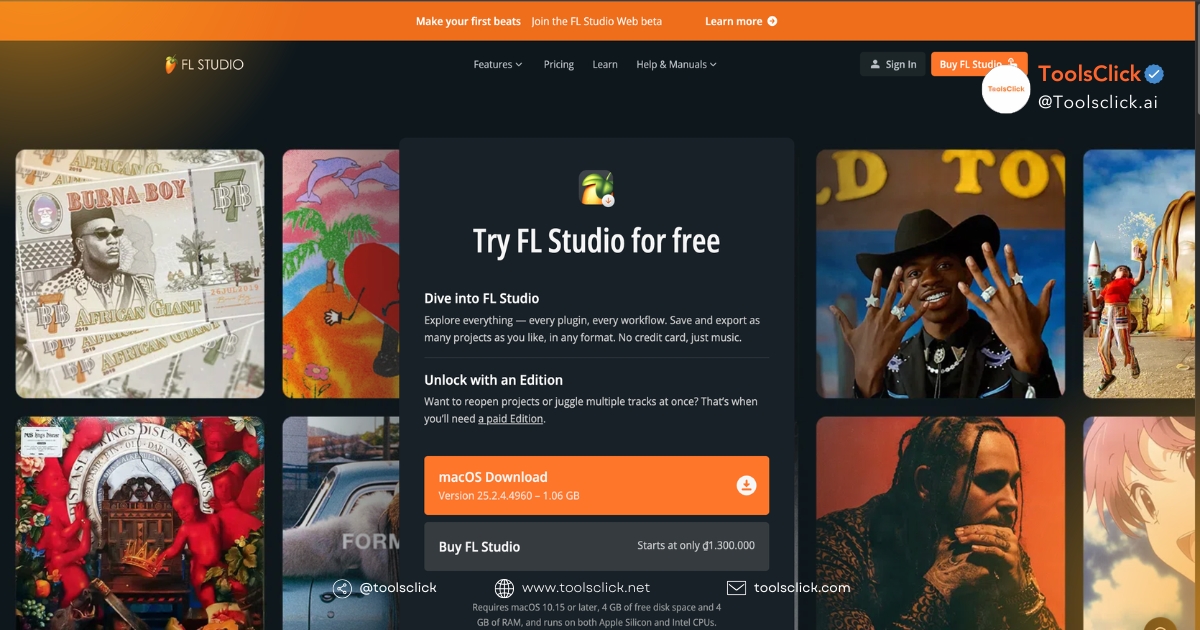
To stay safe and get the latest version, you should only download the installer from official sources.
Quick answer: You must always Download and install FL Studio for free (trial version) or paid version directly from the Image-Line homepage to avoid viruses and malware.
Searching for “download FL Studio full crack” online may be tempting, but it poses a huge security risk to your computer. Follow these steps to safely download the installer:
This way, you ensure that you are using a clean, latest version that has not been tampered with by third parties.
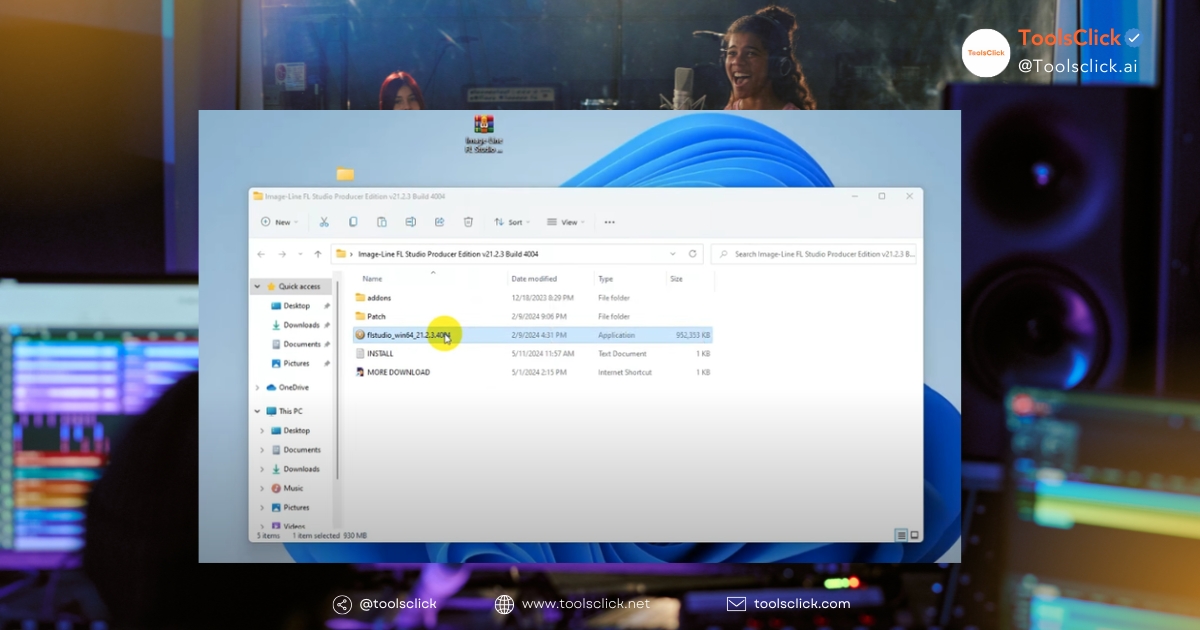
Once you have downloaded the installer, the installation process is very simple and intuitive.
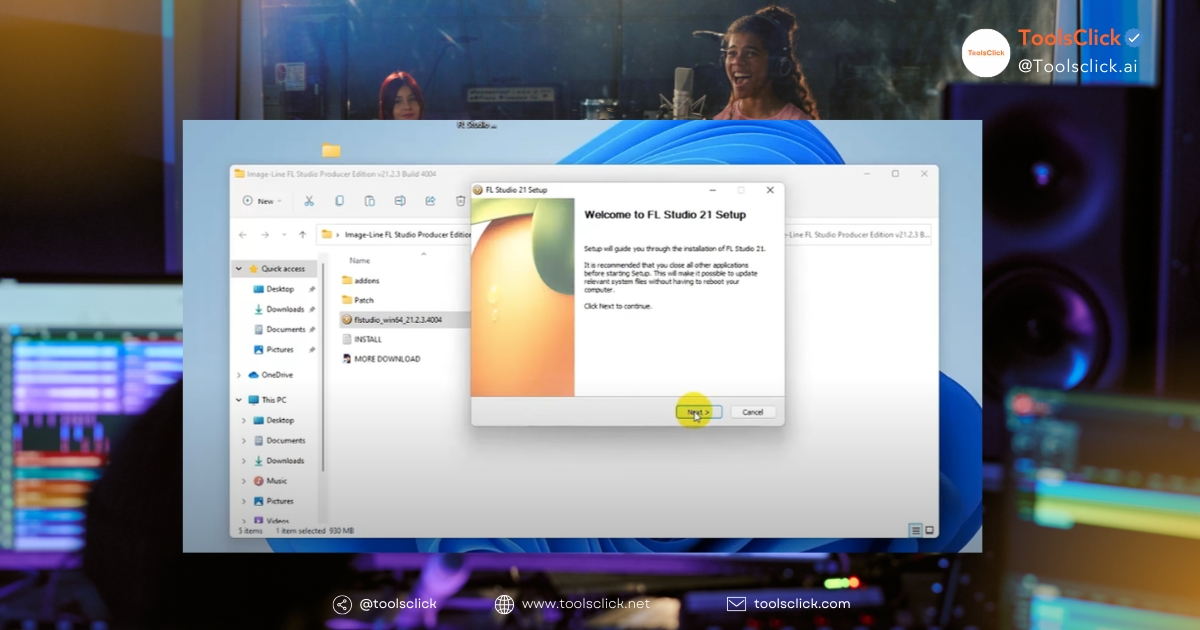
Quick answer: You just need to open the downloaded installation file, then follow the on-screen instructions, mainly clicking “Next” and “Agree” to complete.
Below are the detailed steps in the process Install FL Studio on the computer:
Now, the FL Studio icon will appear on your desktop or in your applications folder.
This is an extremely important step to help optimize your audio experience.
Quick answer: Windows users should install the driver ASIO4ALL to minimize audio latency (latency) when recording or playing MIDI instruments, making sound appear almost instantly.
When you press a key on a MIDI keyboard or record, the signal needs time to be processed. This delay is called latency. Driver ASIO4ALL helps reduce latency to the lowest level.
After installation, FL Studio will operate in trial mode. To unlock all features, you need to activate the license.
Quick answer: To activate, open FL Studio, go to Help > About and enter the Image-Line account information you used to purchase. activation key.
How to activate FL Studio very simple and fast:
Job Install copyrighted FL Studio not only helps you use software legally but also opens up many long-term benefits.
Many beginners often hesitate between using the crack version and investing in copyright. With experience supporting many music producers, we at ToolsClick affirming that investing in copyright is a smart and worthy decision.
One of the biggest perks when you Buy FL Studio key reputation is policy Lifetime free updates by Image-Line.
See related articles: What Is FL Studio And Why You Should Start Now
FL Studio offers multiple versions to fit different needs and budgets.
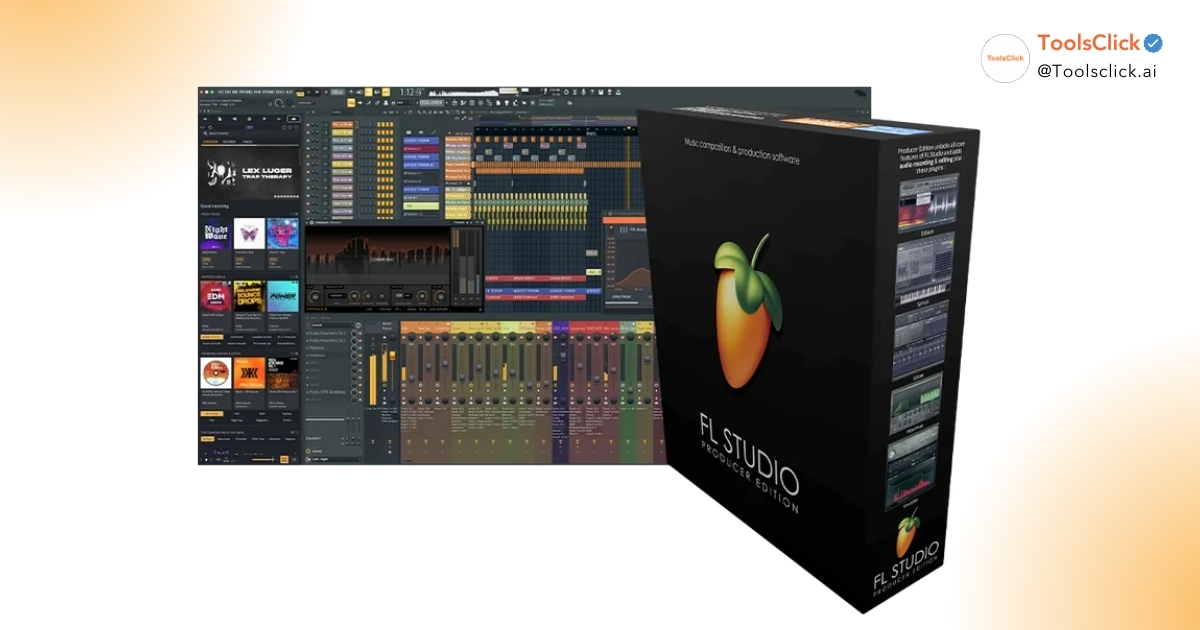
Quick answer: FL Studio has 3 main versions: Fruity, Producer and All Plugins. The Producer edition is most recommended because it allows recording and audio processing, essential features for music production.
| Version | Outstanding Features | Suitable Subjects |
| Fruity Edition | Core features such as Piano Roll, Step Sequencer, Playlist. | Beginners only focus on making beats and making MIDI music. |
| Producer Edition (Recommended) | Includes all Fruity features, Added audio recording capability and important plugins. | The majority of users, from serious beginners to professional producers. |
| All Plugins Edition | Includes all Producer features and All instruments and effects by Image-Line. | Professional producers want the most complete set of tools. |
In ToolsClick, when you buy the Producer or All Plugins package, you also get it Get Splice Creator 200 Credits now, a huge resource of samples and loops for you to unleash your creativity.
Searching for “download FL Studio full crack” can have serious consequences.
Quick answer: Using cracked software puts you at risk of virus infection, ransomware, personal information theft, and software that is unstable and often crashes.
Below are some questions that beginners often encounter during the learning process Instructions for installing FL Studio for newbies.
Quick answer: Yes, FL Studio was formerly known as Fruity Loops. It is one Digital Audio Workstation (DAW) Also known as music making software, it allows you to compose, arrange, record, mix and master music products.
The name Fruity Loops was changed to FL Studio to reflect the professionalism and comprehensive feature set that this software offers, going beyond a simple “looping” tool.
Quick answer: You can download and install the trial version of FL Studio completely free of charge. However, this version has the limitation that you cannot reopen saved projects. To use full features, you need to purchase one of the paid versions.
Does installing FL Studio cost money? The answer is yes, if you want to become a real music producer. Investing in copyright is the first and most important step.
Quick answer: No, FL Studio 21 is very well optimized and not too heavy. The installer only requires about 1-2 GB and requires 4GB of free space on the hard drive to install and operate.
Compared to other DAWs, FL Studio is considered quite light and can run well on many types of computers, even those without too high configuration. This answers the question “Is FL Studio 20 heavy?” and version 21 is even better optimized.
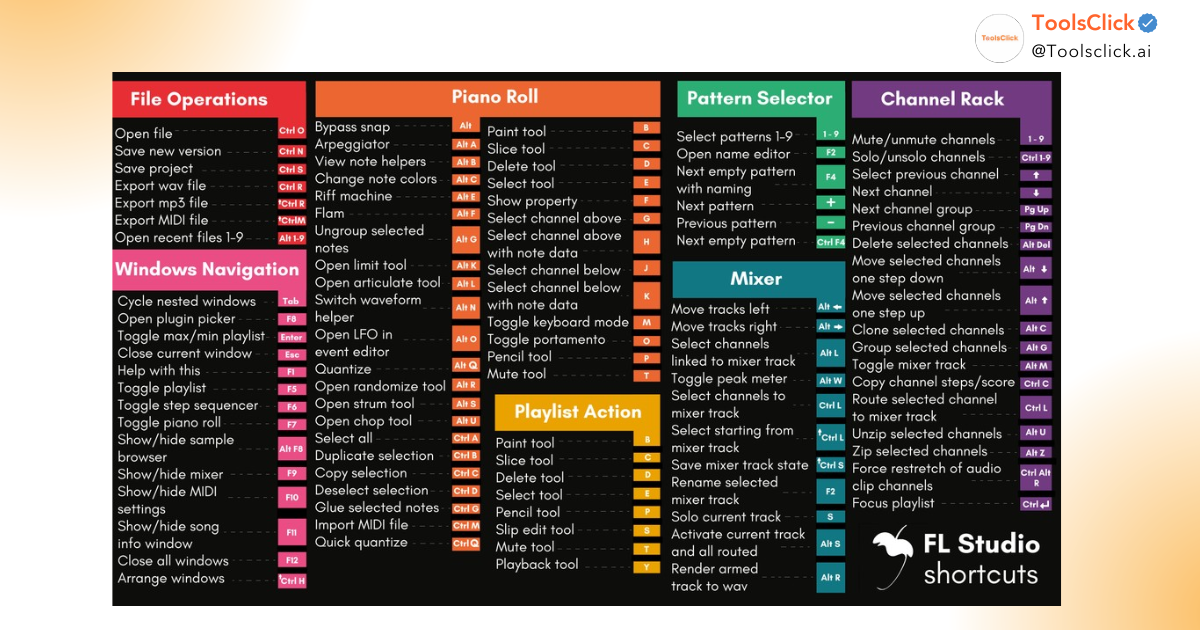
Quick answer: For newbies, focus on getting acquainted with the 5 main windows: Channel Rack (to create patterns), Piano Roll (to write melodies), Playlist (to arrange music), Mixer (to mix sounds) and Browser (to manage files).
Here is a roadmap Instructions for using FL Studio for newbies very basic:
Installing FL Studio is completely simple if you follow the 5 steps correctly. Choosing a suitable copyright version not only ensures your computer’s safety but is also a worthy investment with lifetime free update privileges from Image-Line. This is a solid foundation for you to pursue your passion Music Production professionally and sustainably.
Ready to turn ideas into tunes? Buy a permanent FL Studio license key today to receive special offers from ToolsClick and begin your journey of unlimited music creation


Group buying website for tools
World's leading

Youtube ToolsClick
A guide from A to Z

Fanpage
Top quality

Group ToolsClick
Technical Support & Gifts

ToolsClick Software
Proprietary software