
FL Studio 26 is more than just a regular software update; it’s a leap forward in AI technology, making it easier than ever for beginners to create music at home. With top-notch AI Stem Separation and Cloud Mastering features, creating professional-quality mixes has never been faster. This article will detail 7 essential things you need to know to optimize your music production process and acquire a genuine license at the best price.

FL Studio 26 reviews show that it is currently the most comprehensive DAW (Digital Audio Workstation), combining artificial intelligence and a streamlined workflow for beginners.
At ToolsClick , we’ve found that FL Studio 26 has truly listened to its users by integrating tools that previously cost hundreds of dollars to purchase as separate plugins. Below are 7 key points that anyone planning to learn music production at home with FL Studio 26 should understand.
AI Stem Separation helps to separate vocals and instruments from an existing song with near-perfect clarity, while Cloud Mastering allows for the completion of a studio-quality mix in just seconds.
The AI Stem Separation feature in FL Studio 26 has been upgraded to version 2.0, allowing users to separate vocals, drums, bass, and instruments from any audio file with low latency. This is extremely useful for beginners in beatmaking or remixing who don’t yet have access to clean samples.
Furthermore, Cloud Mastering is deeply integrated into the file export process. Instead of spending years learning complex mastering techniques, you simply select “Mastering,” and the AI will automatically analyze the frequency spectrum and compression to ensure your music has the same volume and clarity as hits on Spotify or Apple Music. This is why FL Studio 26 is the best DAW for beginners in 2026.

AI Stem Separation
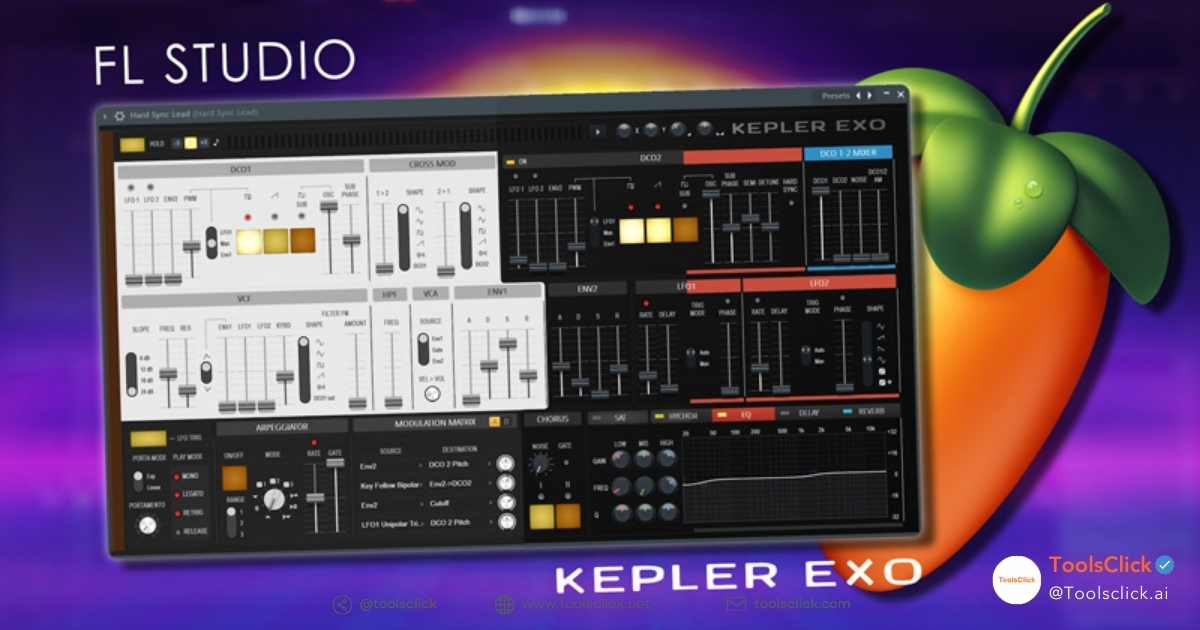
Kepler Exo is a virtual instrument (synth) that emulates powerful classic analog sounds, combined with a new Audio Clip management system that makes arranging music more intuitive.
In this FL Studio 26 review , we can’t forget the Kepler Exo synth . This is an improvement over the old Kepler, delivering rich synth sounds suitable for EDM and Synthwave music production . For students or office workers just starting out, having high-quality presets readily available helps avoid being discouraged by complex knob interfaces.
The new Audio Clips workflow is also a highlight. Now you can cut, splice, fade-in/out, and pitch directly on the playlist without having to open individual properties panels. This process helps narrow the convenience gap between Ableton and FL workflows .
FL 26’s rendering speed has been significantly improved thanks to its multi-core optimization algorithm, resulting in 30% faster file output compared to previous versions.
One of the concerns for beginners is that their computer will lag when a track has too many VST plugins . In version 2026, Image-Line has optimized its audio engine, allowing the CPU to allocate resources more intelligently to the active tracks.
| Performance Index | FL Studio 21 | FL Studio 26 |
| Rendering speed | 100% (Original) | 30-40% faster |
| RAM consumption | Medium | Optimization is less than 15%. |
| AI processing | Cloud-based | Hybrid (Local + Cloud) |
With ToolsClick, we appreciate that the software minimizes “underruns” (crackling noises when the CPU is overloaded), making the home music production experience more professional and less frustrating.
When you purchase a FL Studio license , you will receive upgrades to all future versions (2027, 2028, etc.) at no extra cost.
This is FL Studio’s most powerful “weapon” that helps it beat competitors like Ableton or Logic Pro (which often charge users for upgrades). When you invest in buying a cheap FL Studio 26 license today, you are owning a permanent asset.
Our lifetime official FL Studio upgrade policy ensures you always have access to the latest AI tools without worrying about annual costs. At ToolsClick, we always advise customers to choose this package to optimize their budget in the long run.
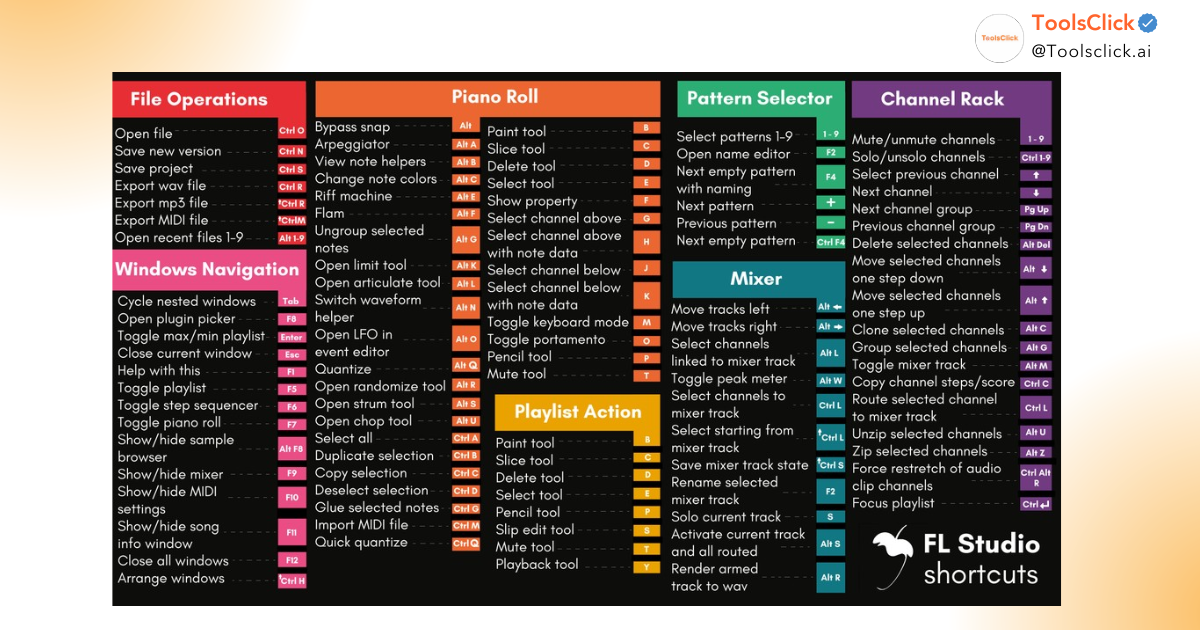
FL Studio’s Piano Roll system continues to reign supreme thanks to its ability to compose melodies quickly, combined with an extremely rich library of virtual instruments (VST).
For beginners learning to make music at home with FL Studio 26 , FL Studio’s Piano Roll is the most intuitive tool for writing music without needing extensive music theory knowledge. Features like “Strum,” “Quantize,” and “Arpeggiate” bring lifeless notes to life with just a few clicks.
The included plugin library, featuring tools like Sytrus, Flex, and the latest AI sound effects, provides you with all the “toys” you need to create a complete hit without installing any third-party plugins.
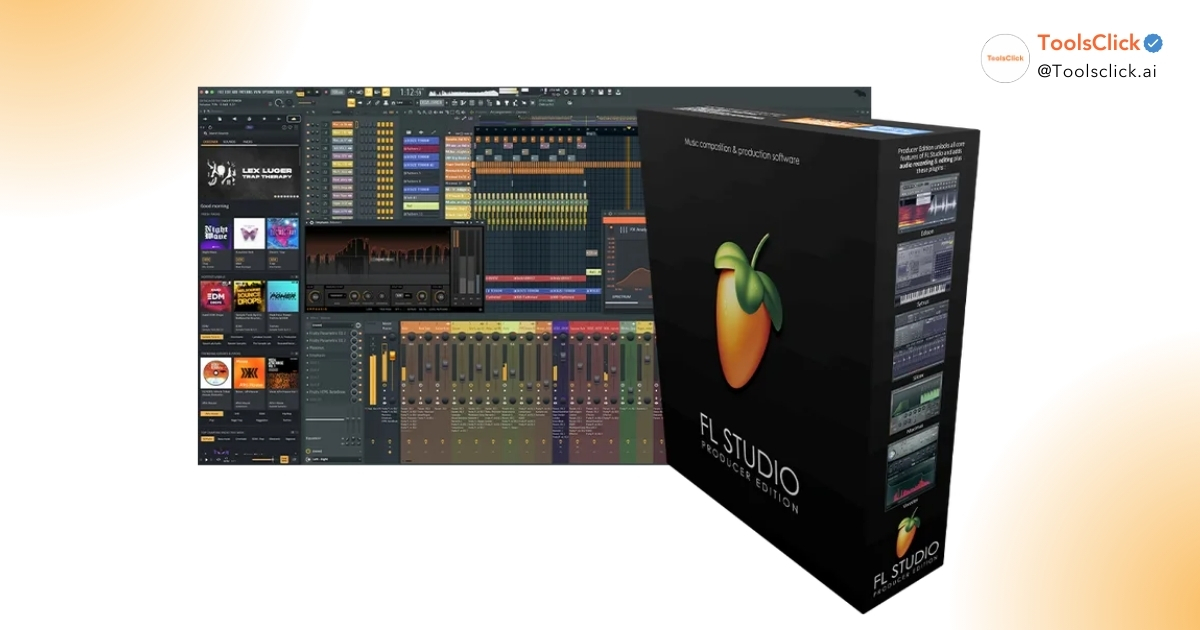
The Producer Edition is the most balanced version in terms of cost and features, allowing you to record and utilize all the most important AI tools.
Many newcomers often wonder about the prices of different versions of FL Studio 26. Here’s some advice from ToolsClick:
FL Studio 26 has fixed most of the old VST conflict issues and improved stability on both Windows 11 and the latest macOS.
Despite being powerful software, FL Studio 26 sometimes encounters errors such as soundcard not being recognized or plugins displaying a “black screen”. However, with the large FL Studio community and frequent bug fixes from Image-Line, troubleshooting is simple. We recommend always using a licensed version to receive immediate bug fixes (hotfixes) and avoid interruptions to your creative inspiration.
Comparison helps you determine whether the FL Studio 26 is truly superior and better suited to your musical style than its competitors.
Compared to version 21, FL Studio 26 focuses entirely on integrating AI and improving workflows to reduce manual operations.
The biggest difference is the new feature in FL Studio 26 related to the browser manager. Now you can search for samples by voice or text description, and the AI will suggest loops that match the tone and tempo (BPM) of your project. This is a huge upgrade from having to listen to thousands of files in the outdated library of version 21.
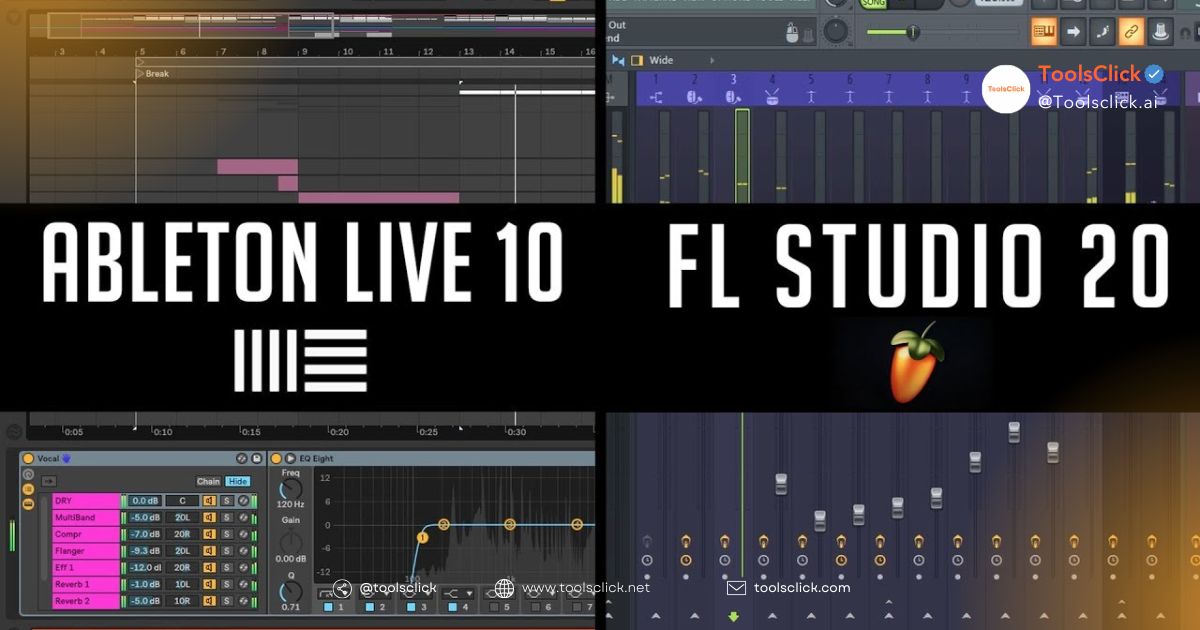
While FL Studio excels at composing melodies using Pattern and Piano Roll, Ableton Live 12 prioritizes live performance and Session View capabilities.
At ToolsClick, we often get the question: “ Why should I switch to FL Studio ?” The answer lies in freedom. FL Studio lets you put anything anywhere on the playlist . For office workers or students with limited time, FL Studio’s interface is more accessible and “learn while playing” compared to the somewhat dry appearance of Ableton.
FL Studio 26 is known as the “king” of EDM and Hip-hop music thanks to its ability to create beats extremely quickly and its massive sample library specifically for these genres.
Most of the world’s most famous producers in this genre, such as Metro Boomin, Martin Garrix, and Avicii, use FL Studio. With its advanced beatmaking features , creating catchy drum loops or powerful 808 bass sounds becomes incredibly simple. If you’re passionate about electronic music, FL Studio 26 is an irreplaceable choice in 2026.
See also: FL Studio vs Ableton Live Comparison: Which is the right choice for you?
To avoid lag while enjoying the music, you need a computer with sufficient power to handle real-time audio processing.
The configuration that runs FL 26 most smoothly requires a balance between CPU processing speed and the fast data access capabilities of an SSD.
Based on our technical support experience at ToolsClick, we recommend the following optimal configuration:
You can go to “Audio Settings” and increase the Buffer Length to reduce CPU load, and also turn off unnecessary graphics effects in the interface.
Additionally, using ASIO drivers (such as FL Studio ASIO or ASIO4ALL) is mandatory for optimal audio performance. At ToolsClick, we always guide our customers on how to “purge” RAM and close background applications to dedicate the full power of their computer to this professional music production software .
See also: Top 7 Computers for FL Studio for Students and Office Workers
Owning a licensed version not only helps you avoid viruses from cracked versions but also ensures you receive the best technical support and continuous updates of new features.
Each software package has different pricing and feature sets, catering to specific needs ranging from basic beatmaking to professional music production.
| Version | Suitable candidates | Key features |
| Fruity | Beginners | Basic Piano Roll, no recording |
| Producer | Home-based producer (Recommended) | Recording, Stem Separation, Full Playlist |
| Signature | Professional Musician | Add plugins like Gross Beat, NewTone |
| All Plugins | Professional studio | Own all Image-Line VSTs |
At ToolsClick, we offer music production tool packages and support for upgrading to official accounts at the most competitive prices on the market.
After purchasing the key, simply log in to the Image-Line homepage, enter the activation code, and the software will automatically unlock all features on your computer.
Specifically, when purchasing the Producer Edition or All Plugins Edition from reputable vendors like ToolsClick, you’ll receive a bonus of 200 Splice Credits. Splice is the world’s largest library of audio samples, providing you with thousands of resources to create your music. The installation and activation process for FL Studio 26 is very quick, usually taking only 1-5 minutes.
Using genuine software helps protect personal data, ensures your music project doesn’t encounter errors midway, and allows you to benefit from the manufacturer’s warranty.
Is FL Studio 26 worth buying? Absolutely. Using cracked versions often leads to unexpected FL Studio 26 errors and the risk of malware infection from unknown websites. With a genuine license, you can confidently install it on multiple personal computers and enjoy absolute stability.
To begin, you need to familiarize yourself with the four main windows: Channel Rack, Piano Roll, Playlist, and Mixer. These are the “framework” of every piece of music in FL Studio.
The standard workflow begins with creating rhythms in the Channel Rack, writing melodies in the Piano Roll, arranging them in the Playlist, and finally mixing the audio in the Mixer.
Mastering this FL Studio workflow will help you avoid being overwhelmed by the software’s massive interface if you are a new user or are looking to learn. Understanding what FL Studio is is crucial; this detailed information will help you better approach the software and produce your own music.
You can add third-party plugins by placing them in the VST folder and using Plugin Manager to have FL Studio recognize them.
Managing your sample library is also crucial. You should organize folders by type (Kicks, Snares, Vocals, etc.) and drag them into the browser panel on the left side of the interface. This makes finding sounds faster when inspiration strikes. Don’t forget to utilize available plugins to optimize your computer’s memory.
Choosing FL Studio 26 is a smart and sustainable investment for anyone passionate about home music production. With exclusive Lifetime Updates and the power of cutting-edge AI tools, you’ll always be ahead of the curve without incurring additional annual upgrade costs. Start your musical journey today with the Producer Edition to experience the full power of this world-leading DAW.
1. I’m currently using FL Studio 21; will there be a fee to upgrade to version 2026?
Absolutely NOT . This is the core value of Image-Line’s Lifetime Free Updates policy . If you already own a genuine license (purchased from ToolsClick or the official website), you simply need to download the latest installer and log in to your account to enjoy AI 2026 features without any additional cost.
2. Can the AI Stem Separation feature separate all songs?
The AI Stem Separation 2.0 feature in FL Studio 2026 is capable of separating vocals, drums, bass, and instruments with extremely high cleanliness for most modern mixes. However, with older recordings (mono) or tracks with too many overlapping effects, the separation quality may be slightly reduced. It remains one of the best tools currently available for remixing and learning.
3. What are the minimum computer specifications required to run FL Studio 26 smoothly?
To ensure stable operation of new AI features and plugins like Kepler Exo, you should have at least:
CPU: Intel Core i5 or Ryzen 5 (12th generation or later).
RAM: Minimum 16GB (AI and Cloud Mastering consume a significant amount of RAM during processing).
Hard drive: NVMe SSD to ensure fast sample read and write speeds.
4. Why should I choose the Producer Edition instead of the cheaper Fruity Edition?
The Fruity Edition is more like an enhanced trial version: it doesn’t allow recording and you can’t drag and drop audio clips into playlists. For professional music production, especially using AI-powered music separation features, the Producer Edition is the minimum and most worthwhile option in terms of performance-to-price ratio.
5. Is buying FL Studio from ToolsClick safe and does it come with a warranty?
At ToolsClick, we are committed to providing 100% genuine product keys , activated directly on your personal Image-Line account. You will receive all the benefits from the manufacturer, download a clean installer from the official website, and enjoy lifetime warranty and technical support from our team of experts.
6. Does the 200 Credit Splice gift have an expiration date?
When you purchase the Producer or All Plugins package at ToolsClick, you’ll receive a Splice promo code. These credits are typically added to your Splice account and can be used to download high-quality samples according to Splice’s current policy. This is a great resource to get you started on your first song on FL 26.
Are you ready to unleash your passion? Contact ToolsClick now to get a genuine licensed copy of FL Studio 26 at the best price, plus 200 Credit Splices and lifetime technical support! We are committed to providing the cleanest, safest, and fastest software solution for the Vietnamese music production community.

Group buying website for tools
World's leading

Youtube ToolsClick
A guide from A to Z

Fanpage
Top quality

Group ToolsClick
Technical Support & Gifts

ToolsClick Software
Proprietary software