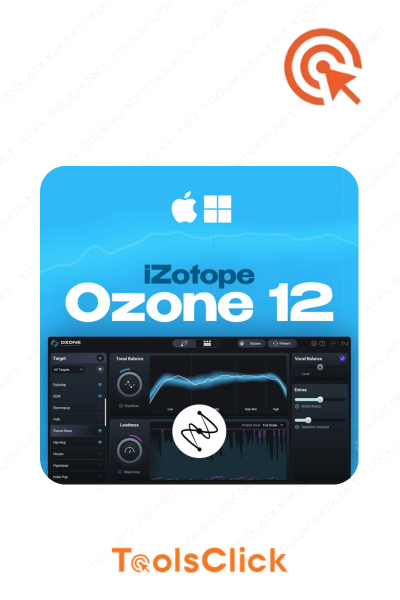





Are you looking to enhance the sound of your mixes, podcasts or videos but are confused by complex mastering techniques? iZotope Ozone 12 Elements is the solution. This article will guide you through 3 simple steps to instantly optimize professional sound using AI technology, while also showing you a smart upgrade path later. Discover now how to own a permanent copyright at the best price!
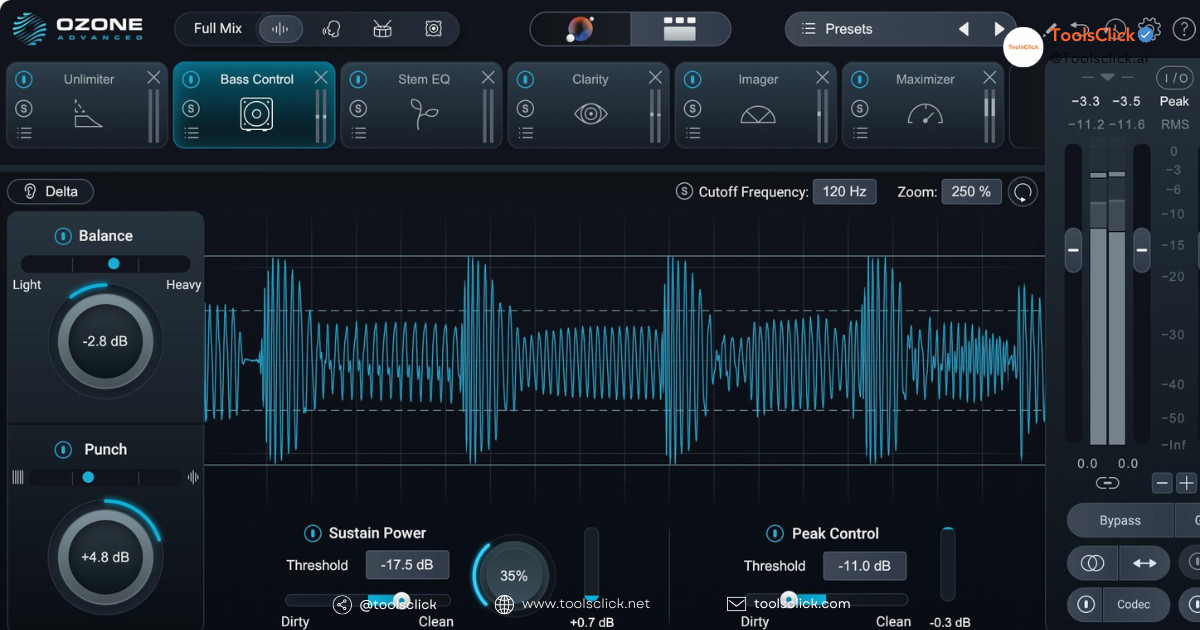
Mastering is no longer a “dark art” reserved only for professional audio engineers. With iZotope Ozone 12 Elements, you can achieve impressive results in just 3 core steps. This is basic instructions but extremely effective, helping you confidently publish your products.
This is a breakthrough that will save you hours of time. Instead of starting from scratch, let iZotope’s artificial intelligence do the work. Ozone AI Mastering Assistant will analyze your audio and automatically suggest an optimal processing sequence.
After selecting the Target, the Master Assistant will create a basic audio processing chain. You will see that modules like EQ, Stabilizer, and Maximizer have been automatically adjusted.
One of the most valuable features of iZotope Ozone 12 Elements is Assistive Vocal Balance. If your mix has vocals, this tool will automatically detect and suggest increasing/decreasing the vocal volume so it blends perfectly with the background music. This is a great lifesaver when you don’t have a stem file (individual track) to edit.
AI assistants have given you a great starting point, but the next step is to create a personal touch. This is when you use your ear and feel to fine-tune.
Listen and ask yourself: “What does my mix need?”.
The Imager module allows you to “stretch” the stereo space of your mix.
This is another powerful tool inherited from the premium versions. Even if you only have a single stereo file, Ozone 12 Elements still allows you to:
This is the final step to ensure your product sounds loud, clear, and professional on any device. How to optimize volume using Ozone Elements 12 mainly revolves around the Maximizer module.
Maximizer is one audio processor combination between compressor and limiter smart.
In the Maximizer module, iZotope provides many algorithms (modes) limiter different.
Before exporting the file, use the button Bypass to compare the original sound (before processing) and the mastered sound. This helps you ensure that your changes actually improve your results sound quality not simply making it bigger. Make sure the mastered version sounds clearer, more balanced, and more powerful.
If you are still wondering “Is Ozone Elements 12 worth buying for newbies??”, these are convincing reasons. This is not just one mastering plugin, it is a teacher, a powerful assistant on the path of sound production.
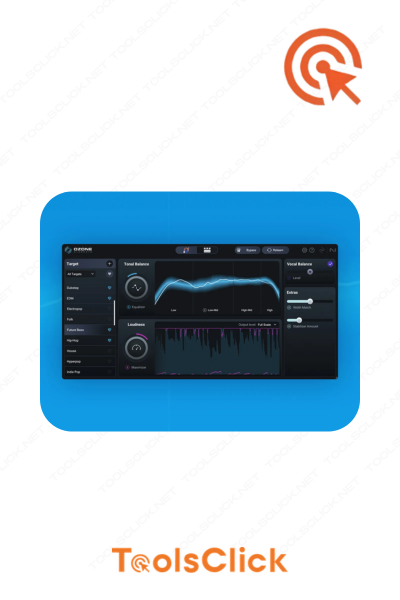
Unlike complex plugins with dozens of buttons, iZotope Ozone 12 Elements has a completely redesigned interface that is extremely modern and easy to understand.
The Elements version removes the confusing advanced modules, keeping only the 3 most important tools that every master needs:
The new interface of Ozone 12 helps you easily access modules and view information Audio analysis tool (like histograms and LUFS meters) and done volume adjustment intuitively. Everything is streamlined for a smooth workflow.
This is Ozone’s biggest competitive advantage compared to its competitors. Automatic mastering is no longer a fantasy.
Instead of having to grope for yourself, Ozone AI Mastering Assistant Listen to your track and create a custom preset. This starting point is usually 80% good, giving you a solid foundation to fine-tune as desired.
For beginners, setting up a mastering chain from scratch can take a lot of time and effort. iZotope Assistant helps you shorten the process to just a few minutes, allowing you to focus more on the creative aspect.
Invest in software copyright is a smart decision, and Ozone Elements delivers outstanding value for the cost.
The answer is YES. For a small investment, you get:
Sound is an integral part of the user experience. a piece of music, podcasts, nice video Having clear, loud and balanced sound will be much more professional and attractive. The investment in copyright price of iZotope Ozone 12 Elements is investing in the value of your product.
At ToolsClick, we understand that ownership software copyright Quality is an important step for every creator. With experience supporting more than 4,000 successful orders, we are proud to be a reliable address for you. Buy copyrighted iZotope Ozone 12 Elements.
When you decide to invest in one Ozone 12 Elements key permanently At ToolsClick, you don’t just buy a product, you also receive peace of mind and classy service.
We provide lifetime license keys. The key will be activated and managed directly on your iZotope account, ensuring you are the sole and legal owner.
Say no to pirated software of unknown origin. The product you receive is 100% genuine, downloaded and updated through iZotope Product Portal – iZotope’s official product management portal.
We are committed to bringing you the most competitive prices, helping you access this professional tool at an optimal cost. This is your opportunity to own Genuine cheap Ozone 12 Elements without sacrificing quality or legality.
Procedure Activate copyrighted iZotope Ozone at ToolsClick is extremely simple and fast.
Immediately after completing payment, you will receive an activation key and detailed instructions via email. Our speedy delivery service ensures you can start work immediately.
Visit the iZotope homepage, download and install the application iZotope Product Portal. This is the manager of all iZotope products.
Open the Product Portal, log in to your iZotope account (or create a new one if you don’t have one). Click on the plus icon (+) and enter the serial number (key) you received from ToolsClick to proceed iZotope Product Portal activation.
If you encounter any difficulties, ToolsClick’s team is always ready to support you 1-1 via chat or other communication channels until you install and activate successfully.
iZotope Ozone 12 Elements is a perfect start. But as your skills and requirements increase, so will the job Upgrade iZotope Ozone Elements to Standard version or Advanced is a natural step.
To give you an overview, here are the main differences between the versions.
| Features | Ozone 12 Elements | Ozone 12 Standard | Ozone 12 Advanced |
| Master Assistant | ✅ Yes | ✅ Yes | ✅ Yes |
| EQ, Imager, Maximizer | ✅ Yes (Basic) | ✅ Yes (More modes) | ✅ Yes (More modes) |
| Dynamic EQ, Exciter | ❌ No | ✅ Yes | ✅ Yes |
| Integrated Audiolens | ❌ No | ✅ Yes | ✅ Yes |
| Match EQ technology | ❌ No | ✅ Yes | ✅ Yes |
| Handling Stems | ❌ No | ❌ No | ✅ Yes |
| Independent modules | ❌ No | ❌ No | ✅ Yes |
Job iZotope upgrade should happen when you feel the current version no longer meets your needs.
When you want to process a frequency only when it exceeds the threshold (for example, reduce the cymbal’s flare frequency only when it hits hard), you will need the Dynamic EQ included in the version. Standard.
If you admire the sound of a certain song and want to apply the same EQ curve to your production, the Match EQ and Audiolens feature in the Standard version is what you need.
When you receive a project that requires mastering from stem files (e.g. drum stem, bass stem, vocal stem…), only the Advanced new to provide this powerful processing capability.
Here are some questions we at ToolsClick often get asked about iZotope Ozone 12 Elements.
Have. Ozone 12 Elements is perfectly compatible with all DAW (Digital Audio Workstation) popular today such as FL Studio, Ableton Live, Logic Pro X, Cubase, Pro Tools, Studio One, Reaper, supporting VST3, AU, and AAX plugin formats.
Awesome YES. iZotope Ozone 12 Elements have support Native Apple Silicon support, ensuring smooth, stable and resource-saving performance on newer Macs using M1, M2, M3 chips.
Sure. Tools like Master Assistant, Stabilizer and Maximizer are extremely effective at increasing voice clarity, eliminating background noise and ensuring uniform volume, making them ideal for Optimize podcast audio and videos before publishing.
Completely safe. As promised, ToolsClick only delivers Ozone 12 Elements key permanently, genuine, activated directly on your personal iZotope account. We have a dedicated and transparent support policy that has been trusted by thousands of customers.
The main differences lie in the new modules and improved interface. Ozone 12 Elements is supplemented with smart features taken from more advanced versions such as Assistive Vocal Balance and Upward Compress in Maximizer, for better dynamic control. The interface has also been refreshed to be more intuitive and easier to use.
With iZotope Ozone 12 Elements, achieving professional sound is no longer a complicated battle. With just 3 simple steps based on the power of AI, you can confidently publish your product. This is a smart, economical first step and a solid foundation for you to conquer more advanced mastering skills in the future. Invest in your sound quality today.
🔥 Don’t hesitate! Get it now iZotope Ozone 12 Elements key with permanent copyright with exclusive promotional prices at ToolsClick. Speedy delivery, dedicated support. Click here to upgrade your audio instantly! 🔥

Sorry, no reviews match your current selections


Group buying website for tools
World's leading

Youtube ToolsClick
A guide from A to Z

Fanpage
Top quality

Group ToolsClick
Technical Support & Gifts

ToolsClick Software
Proprietary software