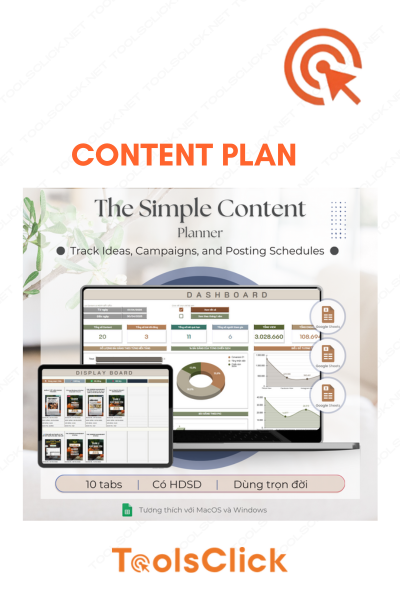
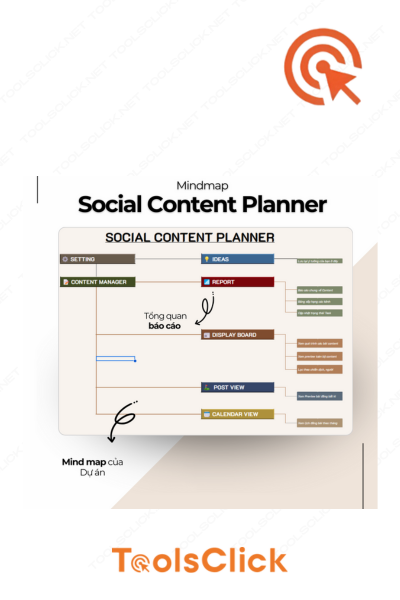
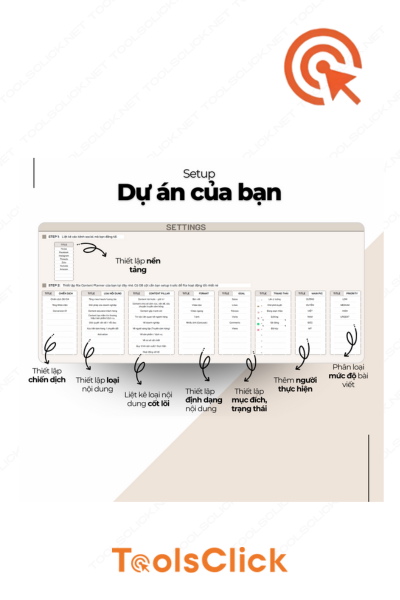
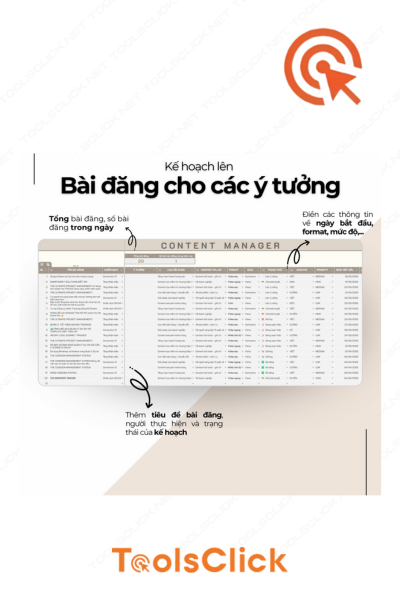
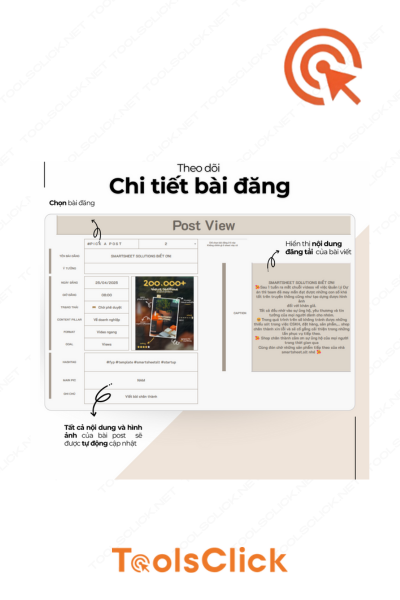
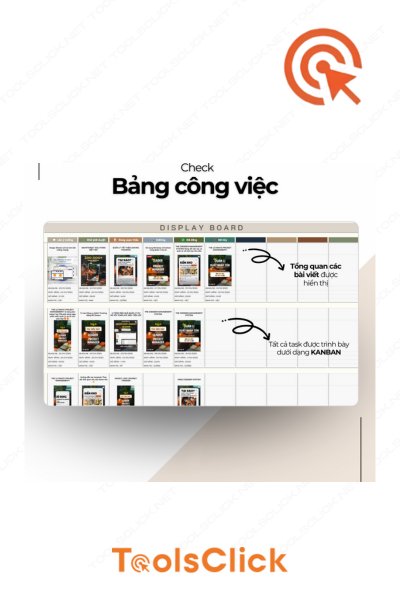
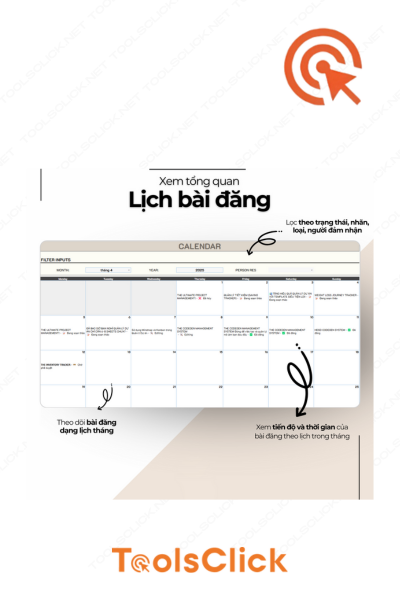





Are you “stuck” in dozens of discrete ideas? Do you take too much time to schedule posts on multiple platforms? Or do you simply want to boost your productivity by automatically creating content with AI? The Content Plan template (The Social Content Planner) is the ultimate solution for you to professionalize your creative process and dominate your Social Content channels.
In 2026, the difference between an amateur and a professional Content Creator lies in administrative ability. One content planning template It is not only a place to take notes, but also a “headquarters” that coordinates all marketing activities.
Different from the template content plan Normally, this 2026 version is designed to be perfectly compatible with AI models. You can easily combine with ChatGPT account to:
Build batch content ideas based on core themes.
Automate writing catchy headlines.
Transform content from an original idea to cross-platform (Facebook, TikTok, Instagram).
When in possession social content plan template Here at ToolsClick, you will experience unprecedented convenience:
Don’t let the idea “flip away” as soon as it flashes. The smart classification system helps you group content according to Pillar and Topic Cluster, helping your website or fanpage build solid Topical Authority.
Optimized calendar interface helps you see the overall picture of the month/quarter. You will know exactly what day you need it Post content automatically, which days require direct interaction, avoiding empty calendars or duplicate content.
We have built-in suggested prompt structures for you to use with GPT. This is the key to Create content automatically but still retains the unique “quality” of the brand.
We are committed to providing outstanding value compared to the price you invest:
✓ Google Sheets spreadsheet file: Main working tool, easy to share and collaborate with your team in real time.
✓ PDF in-depth instructions: The documentation provides customization instructions, explains metrics, and tips for getting the most out of the toolkit.
✓ Instant download: No need to wait! After paying at ToolsClick, you will receive a file download link within 30 seconds.
✓ Permanent access: With a one-time purchase, you have the right to own and use this template forever for your personal projects.
| Criteria | Traditional way (Manual) | The Social Content Planner (ToolsClick) |
| Idea management | Discrete on Word/Note | Organize by Topic & Pillar |
| Intuitiveness | Difficult to track progress | Posting schedule is intuitive and easy to manage |
| AI support | You have to find the prompt yourself | Built-in suggestion template for GPT |
| Professional standards | Spontaneous | Ogilvy Vietnam standards |
| Ability to collaborate | Difficulty working in groups | Google Sheets supports the team 24/7 |
| Price | Waste of time & effort | Cheap price, buy once and use for life |
To achieve maximum effectiveness when used content planning template, ToolsClick suggests you follow these steps:
Step 1: After receiving the file, save a copy to your personal Google Drive via the link in the instruction PDF file.
Step 2: Identify “Content Pillars” (Example: Knowledge, Entertainment, Sales, Prestige).
Step 3: Use GPT in combination with the suggestions available in the file to brainstorm 30 ideas for next month.
Step 4: Fill ideas into posting schedule and distribute platforms (Facebook, TikTok…).
Step 5: Monitor status (Draft, Pending, Published) to control workload.
One Content Plan Template is the blueprint, but to build a massive content “building”, you need to add the following additional tools from ToolsClick:
Image creation: Combined with Canva Pro account to realize ideas from Planner into sparkling images.
Video Marketing: Use HeyGen account to create AI videos according to a pre-scheduled schedule in Planner.
Question: I’m not familiar with Google Sheets, can I still use it?
Reply: Absolutely! The file is designed to be extremely simple with clear instructions. Attached is a PDF file with step-by-step instructions to help you get acquainted in just 5-10 minutes.
Question: Can I share this file with others?
Reply: According to intellectual property rights regulations, this product is for personal use only. Please do not publicly distribute or resell this file to ensure the rights of the creator.
Question: Does this product support automatic posting to Facebook/TikTok?
Reply: This is a planning and management tool. To post content automatically, you should use this Planner to prepare content, then copy it to tools like Meta Business Suite or specialized auto-post tools.
Planning is preparing for success. Don’t let manual and unscientific workflows stifle your creativity. With Content Plan Template (The Social Content Planner), you are not just buying a file, you are buying freedom, professionalism and a clear roadmap to conquer customers on all fronts. social content.
ToolsClick is a reputable unit with more than 10 years of experience in the field of providing digital tools. We understand the needs of creators and are committed to bringing real products of the highest value to the Vietnamese Marketing community.
🚀 Buy now and get a discount: Receive the complete set of Google Sheets files + PDF instructions after just 30 seconds of payment.
📞 24/7 support: If you encounter any difficulties while accessing files, ToolsClick’s technical team is always ready to support.
 Content Plan Template (GPT Integrated)

Sorry, no reviews match your current selections


Group buying website for tools
World's leading

Youtube ToolsClick
A guide from A to Z

Fanpage
Top quality

Group ToolsClick
Technical Support & Gifts

ToolsClick Software
Proprietary software










Reviews
There are no reviews yet