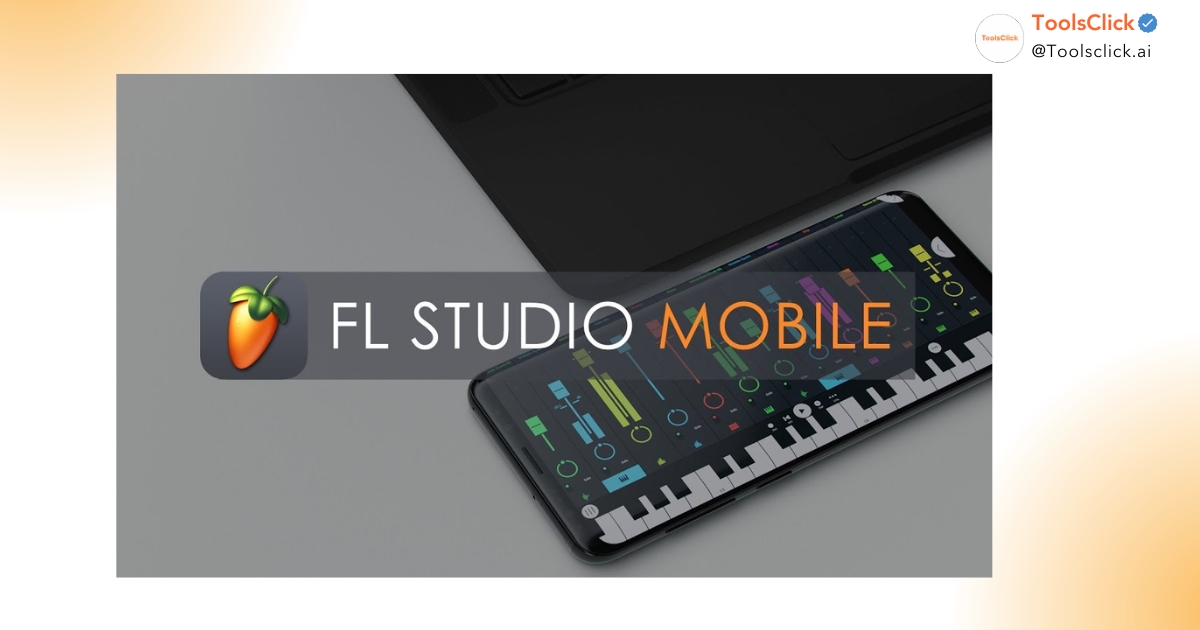

Are you torn between FL Studio Mobile and PC to start your music-making journey? This article will point out 5 reasons why FL Studio Mobile is the perfect choice for beginners, making learning music easier than ever thanks to its flexibility and optimal cost.
FL Studio Mobile is a streamlined version of the world-renowned digital-aided production (DAW) software, optimized for mobile devices while retaining its core power. For beginners, it’s the least barrier to entry into the world of professional music production.
Starting to make music on your mobile device can save you tens of millions of dong that you would otherwise spend on high-end computers and expensive software licenses.
When comparing FL Studio Mobile vs. PC , the most obvious difference is price. The mobile version costs only a few hundred thousand Vietnamese dong on Android or iOS, while the PC version (like the Producer Edition) costs millions of dong. For students or office workers, buying a cheap FL Studio Mobile license is a smart way to try out their passion without worrying about finances. At ToolsClick, we’ve noticed many customers prefer the mobile version to get acquainted before making a larger investment.
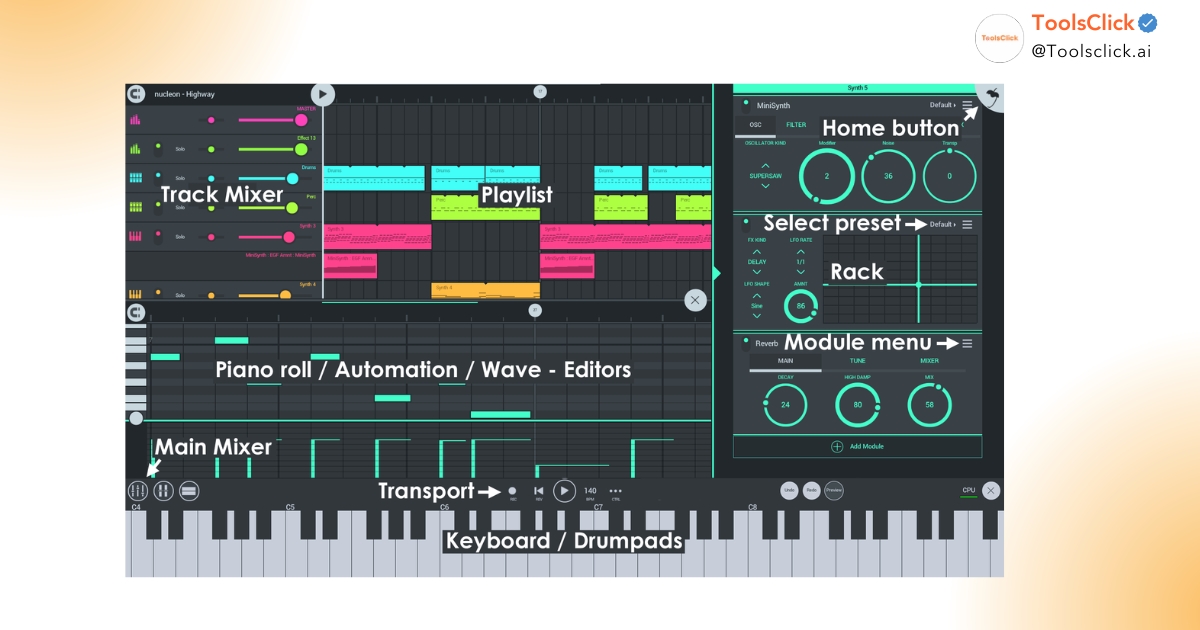
FL Studio Mobile’s interface is designed for touch operation, eliminating the complex menus of the PC version to focus on core features.
Is learning to make music with FL Studio Mobile difficult? The answer is no, because its interface is extremely intuitive. Components like Piano Roll , Channel Rack , and Mixer are neatly arranged, preventing beginners from being overwhelmed by thousands of buttons like on a computer. You can easily compose basic music , draw melodies, or arrange loops with just a few taps.
The versatility of mobile devices allows you to capture inspiration instantly, anywhere from a coffee shop to a bus.
Whether making music on a phone is good depends on how you leverage its flexibility . With a smartphone or tablet, the mobile music production workflow becomes seamless. You don’t need to sit in one place; instead, you can create simple beats during your lunch break or while on the go, helping to maintain a continuous flow of creative inspiration.
FL Studio Mobile cuts out complex technical setup steps, allowing you to go straight into creating audio.
For beginners, the workflow on a PC can sometimes be too complicated with driver installation or VST configuration. In contrast, FL Studio Mobile provides basic plugins and a library of high-quality samples. You can quickly mix music , record vocals , or edit music without needing in-depth audio engineering knowledge, making learning music online more enjoyable.
Learning on mobile helps you master Image-Line’s music production philosophy, creating a solid foundation for transitioning to the PC version.
Does FL Studio Mobile have enough functionality for basic music production? Absolutely, and moreover, it uses the same operating logic as the PC version. Once you’re familiar with how this DAW works , upgrading to the PC version will be effortless. In particular, the ease of transferring FL Studio Mobile projects to a PC is a major plus, allowing you to refine your work more professionally later on.
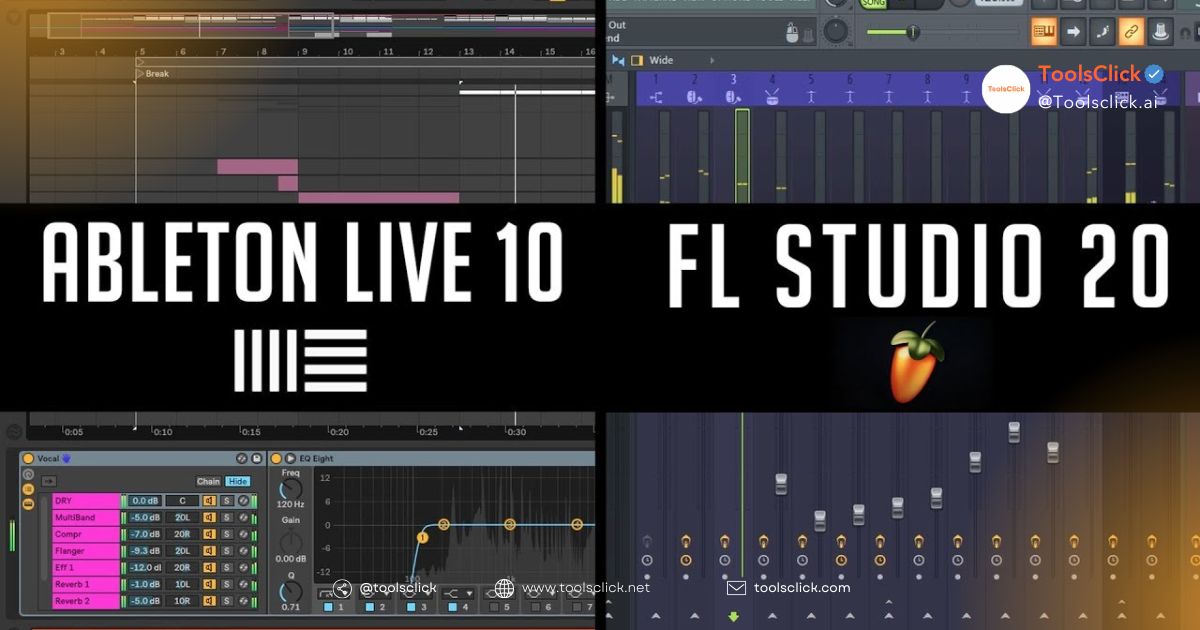
See also: FL Studio vs Ableton Live Comparison: Which is the right choice for you?
Despite its many advantages, users still wonder if FL Studio Mobile is as powerful as the PC version for beginners . In reality, each version serves a different purpose within the Image-Line ecosystem.
The PC version leverages the power of the computer’s hardware to process hundreds of layers, while the mobile version is limited by the performance of the mobile chip.
| Criteria | FL Studio Mobile | FL Studio PC |
| Device | Smartphone, Tablet (Android/iOS) | Windows, macOS |
| Plugin | Use only internal plugins (DirectWave, MiniSynth) | Supports third-party VST3 and VST2 |
| Audio processing | Basic to intermediate | Professional, unlimited |
The biggest difference is VST’s mobile compatibility . On PC, you can install thousands of external virtual instruments, while on mobile, you mainly use plugins optimized by Image-Line. You can also check out top 10 best free VSTs for FL Studio.
The PC version boasts advanced technologies such as Stem Separation AI and the ability to fine-tune audio with studio-level detail.
In its latest 2026 update, FL Studio PC integrated Stem Separation AI , enabling extremely powerful vocal and instrument separation. Additionally, its advanced mixing capabilities with complex effects and unlimited mixer system are features the mobile version cannot yet match. However, for basic music composition needs , the mobile version still performs perfectly.
See also: A compilation of FL Studio shortcuts to help you create music twice as fast.
Choose mobile if you need convenience and low cost; choose PC when you want to produce professional commercial music.
One of its best features is the ability to connect FL Studio Mobile to a computer for cross-platform collaboration.
Mobile projects are saved in FLM file format , and you can open them directly on the PC version.
At ToolsClick, we often guide users to use the built-in “Sync” feature. Simply open FL Studio on both devices, connect them to the same Wi-Fi network, and use the ” Sync FL Studio Mobile with PC” command in the Sharing menu. All tracks, samples, and settings will be transferred to your computer for further editing.
You can open the Mobile interface directly in the PC version as a regular plugin to preserve the original sound.
This is a small but extremely useful tip. Instead of exporting each track individually, simply load the “FL Studio Mobile” plugin into the Channel Rack of the PC version. This prevents workflow interruptions and ensures that the audio from the DirectWave mobile plugin or MiniSynth retains its original quality.
Using cloud storage helps you protect your data and access your project from any device.
Setting up cloud backup for FL Studio is extremely important. You can save .FLM files to Google Drive or iCloud. This not only makes transferring projects from FL Mobile to PC simpler but also ensures you don’t lose data if your phone malfunctions.
Entering 2026, FL Studio Mobile received several valuable updates, transforming it into a truly capable mobile music production software .
For a lag-free experience, you need a device with decent hardware specifications.
Below are the recommended phone configurations for running FL Studio Mobile in 2026:
Despite being a portable version, the included instrument set is incredibly powerful and diverse in sound.
Most new users are pleased with its convenience and the ability to quickly export songs for sharing on social media.
How professional can FL Studio Mobile be for creating music? According to user reviews at ToolsClick, you can definitely create high-quality demos, lo-fi beats, EDM, or complete pop tracks. However, to achieve “radio-ready” quality, you should still perform the final post-production steps on a PC.
If you’ve decided to commit long-term, owning a genuine license is essential to receiving the best support.
Purchasing a license helps you stay away from viruses and enjoy the world’s only Lifetime Updates policy.
When purchasing through reputable vendors like ToolsClick, you’ll receive a shared Image-Line account or a genuine activation key. The most special feature of FL Studio is that you buy it once and get free lifetime updates (2025, 2026, 2027…). This saves you a significant amount of money compared to other DAWs that require annual fees.
We offer a variety of options to suit the budgets of students and working professionals.
At ToolsClick, we offer the following packages:
Note: All are genuine activation keys, downloaded directly from the official website, ensuring absolute safety.
This is a fantastic opportunity to own the world’s highest quality sample library completely free of charge.
Currently, when you purchase the Producer or All Plugins package at ToolsClick, you’ll receive 200 Splice Creator credits as a gift . This is an invaluable resource for finding professional samples and loops, making beatmaking simpler and much better. Don’t miss the FL Studio PC and Mobile combo package to optimize your creative experience.
FL Studio Mobile isn’t a replacement, but rather the perfect stepping stone for newcomers to the world of music production. With its low cost, convenience, and seamless transition to PC, it’s the ideal tool to cultivate your passion, learn the basics, and unleash your creativity before investing in a professional system.
1. If I buy the PC version of FL Studio, will I receive the mobile version as a free gift?
Unfortunately, NO . FL Studio Mobile and FL Studio PC are two separate products on different app stores (Google Play/App Store and Image-Line Store). However, if you own the PC version, you will have the built-in “FL Studio Mobile” plugin to easily open projects from your phone.
2. Can I export high-quality music files created using FL Studio Mobile for uploading to YouTube/TikTok?
Absolutely YES . FL Studio Mobile allows you to export WAV, MP3, and FLAC formats in high quality. You can directly use these files to add to videos or share them on social media platforms without worrying about a reduction in audio quality.
3. Can I install third-party VST plugins into FL Studio Mobile?
Currently, FL Studio Mobile does not support third-party VSTs due to mobile operating system limitations. However, you can expand your sound library by purchasing additional official “Expansion Packs” or loading sound samples into the DirectWave plugin for use.
4. Will there be any audio issues when a project created in FL Studio Mobile is opened on a PC?
If you use FL Studio Mobile’s built-in instruments and effects, when opened on a PC via a dedicated plugin, the audio will be 100% preserved . However, if you use custom samples, make sure you copy those sample files to your computer so the software can find the data.
5. Can a low-spec phone be used to create music on FL Studio Mobile?
FL Studio Mobile is very well optimized, but if your phone is too weak (less than 3GB of RAM), you will experience lag when the music track has many tracks. A helpful tip is to use the “Render to Audio” feature to convert heavy instrument tracks into audio files, which reduces the load on the CPU and allows for smoother composing.
6. Does purchasing a FL Studio license from ToolsClick include installation support on my phone?
Yes, the ToolsClick technical team will guide you through the quick installation and activation process on both Android and iOS. We also assist you in synchronizing data between your phone and computer to ensure the most professional workflow.

Website mua chung công cụ
Hàng đầu thế giới

Youtube ToolsClick
Hướng dẫn từ A đến Z

Fanpage
Chất lượng hàng đầu

Nhóm ToolsClick
Hỗ trợ kỹ thuật & Quà tặng

Phần mềm ToolsClick
Phần mềm bản quyền